

Lightroom Photo Editor & Video
By Adobe
Directory Specifications
- Platform Requirements
- Varies with device
- Initial Download Size
- Varies with device
- Publisher Version
- Varies with device
- Official Developer
- Adobe
- Google Play Installs
- 100M+
- Connectivity
- Internet Required
- Monetization
- Free (In-App Purchases)
- Game Zippy Directory Views
- 3 views
- Google Play Store Referrals
- 0 referrals
- Listing Last Updated
- Nov 14, 2026
Note: "Google Play Installs" represents estimated lifetime store installations reported by the publisher on Google Play. "Google Play Referrals" counts outbound clicks from Game Zippy to the official store listing.
Screenshots & Interface Preview


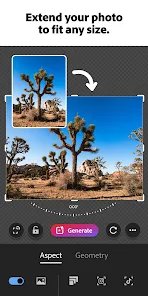

Adobe Lightroom is a free photo and video editor that helps your photos show what makes a moment special. From your dog's goofy grin to a sunset that took your breath away, Lightroom makes it simple to bring moments to life, just the way you see them.
Powerful yet approachable editing tools cover light, colour, detail and geometry, with presets that apply a polished look in one tap. You can create your own presets, copy edits across photos and fine-tune every adjustment with sliders that respond precisely.
Lightroom's camera captures photos in RAW, giving you far more to work with when editing, and the cloud sync keeps your library available on every device. Organise photos with albums, ratings and search, and share straight to social media.
Video editing is built in too, with colour grading and trimming for clips, so your photos and videos stay in one place. Tutorials and guided edits inside the app help you learn as you go.
Lightroom is free to download, with premium features available through a subscription. A professional-grade editor that stays friendly enough for everyday photographers.
Ready to try Lightroom Photo Editor & Video on your Android device?
Free & secure installation directly from the Google Play Store.