Google Maps
By Google LLC
Directory Specifications
- Platform Requirements
- Android 8.0+
- Initial Download Size
- Varies with device
- Publisher Version
- Varies with device
- Official Developer
- Google LLC
- Google Play Installs
- 10B+
- Connectivity
- Internet Required
- Monetization
- Free (In-App Purchases)
- Game Zippy Directory Views
- 31 views
- Google Play Store Referrals
- 3 referrals
- Listing Last Updated
- Oct 27, 2026
Note: "Google Play Installs" represents estimated lifetime store installations reported by the publisher on Google Play. "Google Play Referrals" counts outbound clicks from Game Zippy to the official store listing.
Screenshots & Interface Preview
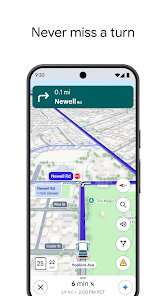
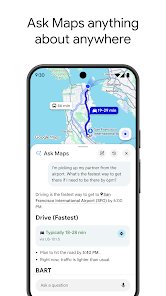


Explore and navigate the world with confidence using Google Maps. Find the best routes with live traffic data and real-time GPS navigation for driving, walking, cycling, and public transport. Discover over 250 million businesses and places - from restaurants and shops to everyday essentials – with photos, reviews, and helpful information.
Navigate the world, the way you want:
- Get to where you need to go with fuel-efficient route options
- Find the best route with real-time, turn-by-turn voice, and on screen navigation
- Save time with automatic rerouting based on live traffic, incidents, and road closures
- Catch the bus, train, and ride-share effortlessly, with real-time updates
- Find bike or scooter rentals to get around more easily
Plan trips and experiences effortlessly:
- Preview an area before you go (e.g. parking, entrances) with Street View
- Use Immersive View to experience what landmarks, parks and routes look like, and even check the weather so you can be ready in advance
- Create custom lists of your favorite saved places and share with others
- Order delivery and takeout, make reservations, and book hotels
- Don't get lost with offline maps in an area with bad signal
- Search for local places and things to do, and decide based on user reviews and photos
Discover and explore like a local:
- Explore with confidence knowing 500 million users contribute and keep the map up to date each year
- Avoid the crowds by seeing how busy a place is before you get there
- Use Lens in Maps to see walking directions overlaid on the real world
- Filter restaurants by cuisine, hours, price, rating and more
- Ask questions about a place, from dishes to parking, and get quick answers
Add tiles and complications to your Wear OS device to quickly search and navigate.
Some features not available in all countries or cities
Navigation isn't intended to be used by oversized or emergency vehicles
About Google Maps
Google Maps has grown from a directions tool into a complete companion for getting around and exploring. Millions of people open it before a journey to check how long a trip will take right now, because routes are calculated using live traffic, road closures and incidents. It is just as useful on foot or public transport, with walking and cycling directions and real-time bus and train information in supported cities.
Beyond navigation, the app works as a local discovery guide. You can look up restaurants, shops and services nearby, compare them using photos, ratings and reviews, and check details such as opening hours and how busy a place usually is. Saving places into lists makes trip planning easier, and downloading areas for offline use keeps directions available where signal is weak.
Key Features
- Turn-by-turn voice navigation for driving, walking, cycling and public transport
- Live traffic data with automatic rerouting around jams, incidents and closures
- Offline maps for navigating areas with poor or no signal
- Street View previews of streets, entrances and parking before you arrive
- Details, photos and reviews for over 250 million businesses and places
- Custom lists of saved places to share with friends and family
How to Use
- Install Google Maps from Google Play and open the app.
- Search for a place or type of business, or tap a point on the map.
- Tap Directions, choose your travel mode and review the routes.
- Start navigation and follow the voice and on-screen guidance.
- Save places to lists and download offline areas before trips.
Frequently Asked Questions
Who develops Google Maps?
Google Maps is developed by Google LLC, the team behind the world's most popular navigation app.
How many downloads does Google Maps have?
It has been installed more than 10 billion times on Google Play and holds a rating of 3.3 on this listing.
Is Google Maps free to use?
Yes, it is free to download and use from Google Play — GameZippy links to the official listing rather than hosting the file itself.
Ready to try Google Maps on your Android device?
Free & secure installation directly from the Google Play Store.