
Microsoft Outlook
By Microsoft Corporation
Directory Specifications
- Platform Requirements
- Varies with device
- Initial Download Size
- Varies with device
- Publisher Version
- Varies with device
- Official Developer
- Microsoft Corporation
- Google Play Installs
- 1B+
- Connectivity
- Internet Required
- Monetization
- Free (In-App Purchases)
- Game Zippy Directory Views
- 2 views
- Google Play Store Referrals
- 0 referrals
- Listing Last Updated
- Nov 16, 2026
Note: "Google Play Installs" represents estimated lifetime store installations reported by the publisher on Google Play. "Google Play Referrals" counts outbound clicks from Game Zippy to the official store listing.
Screenshots & Interface Preview
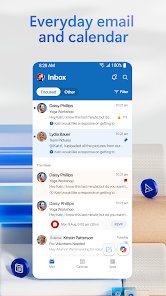
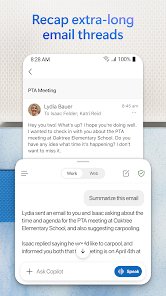

Microsoft Outlook brings your email and calendar together in one organized app. It offers a unified inbox with intelligent filtering and multiple calendars at a glance, and it is free for personal use.
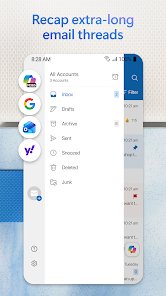
Outlook works with many email services, including Microsoft Exchange, Microsoft 365, Outlook.com, Gmail, Yahoo Mail, iCloud, IMAP, and POP3, so you can manage all your accounts in one place.
Writing emails is easier with built-in tools for grammar, spelling, and real-time typing suggestions. You can attach files from OneDrive, your device, or other cloud storage, and open Word, Excel, and PowerPoint files directly from your inbox.
Managing mail is quick. Swipe gestures let you delete, archive, snooze, or move messages, and you can pin important emails, flag messages for follow-up, and find anything fast with tap or voice search.
Outlook also protects you from phishing, spam, and other threats with enterprise-grade security, and lets you join Teams, Zoom, or other video meetings directly from the app.
Ready to try Microsoft Outlook on your Android device?
Free & secure installation directly from the Google Play Store.