
Google Chrome
By Google LLC
Directory Specifications
- Platform Requirements
- Varies with device
- Initial Download Size
- Varies with device
- Publisher Version
- Varies with device
- Official Developer
- Google LLC
- Google Play Installs
- 10B+
- Connectivity
- Internet Required
- Monetization
- Free (In-App Purchases)
- Game Zippy Directory Views
- 9 views
- Google Play Store Referrals
- 0 referrals
- Listing Last Updated
- Nov 14, 2026
Note: "Google Play Installs" represents estimated lifetime store installations reported by the publisher on Google Play. "Google Play Referrals" counts outbound clicks from Game Zippy to the official store listing.
Screenshots & Interface Preview

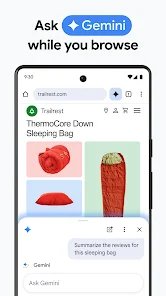
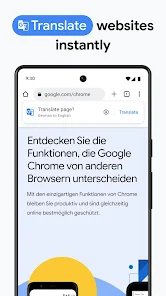
Google Chrome is Google's fast, secure browser for Android, bringing the best of Google to your phone. Search with Google and get answers fast, use your voice to search hands-free, and translate entire sites in more than 130 languages with one tap.
Google Lens lets you search what you see with your camera — point it at something and find out what it is, where to buy it or what it says. Tabs, bookmarks and passwords sync across your phone and computer when you sign in, so your browsing follows you everywhere.
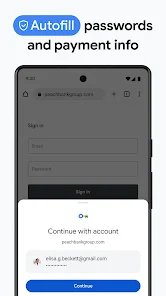
Chrome keeps you safe with built-in protections against dangerous sites and downloads, plus password checkup and Safe Browsing warnings. Incognito mode lets you browse privately without saving history or cookies on your device.
The browser is built for speed: pages load quickly, and features like tab groups, downloads and a built-in PDF viewer keep everyday browsing smooth. You can also save pages for offline reading and get personalised articles on the home screen.
Google Chrome is free to download. The default choice for most Android users, and the fastest way to carry your Google browsing with you.
About Google Chrome
Google Chrome is the browser most Android phones are built around, and with more than ten billion installs it is the most widely used browser in the world. Its strength is how completely it brings Google's services into browsing: search, translation, visual search and your synced data are all one tap away.
Because Chrome syncs across devices when you sign in, the tabs you open, bookmarks you save and passwords you store on your phone are waiting on your computer too. Built-in protections work quietly in the background, warning you about dangerous websites and risky downloads.
Key Features
- Fast Google search: search and get answers quickly, including hands-free voice search
- Google Lens: point your camera at something to identify it, translate it or find where to buy it
- Instant translation: translate entire web pages in more than 130 languages with one tap
- Cross-device sync: tabs, bookmarks and passwords follow you between phone and computer
- Safe Browsing: built-in warnings for dangerous sites and downloads, plus password checkup
- Incognito mode and offline reading: browse privately, or save pages to read without a connection
How to Use
- Download Google Chrome free from Google Play, or open the version already on your phone.
- Sign in with your Google account to sync tabs, bookmarks and passwords.
- Type or speak a search in the address bar, or enter a website address directly.
- Tap the camera icon to use Google Lens on anything you can see.
- Use the menu to open an Incognito tab, save a page for offline reading, or translate a foreign-language site.
Frequently Asked Questions
Who develops Google Chrome?
Chrome is developed by Google LLC. It has been installed more than 10 billion times and holds a 4.1-star rating on Google Play.
Is Google Chrome free?
Yes, Chrome is completely free to download and use on Android.
Does Chrome sync with my computer?
Yes. When you sign in with the same Google account, your tabs, bookmarks, history and saved passwords sync between your phone and computer.
Ready to try Google Chrome on your Android device?
Free & secure installation directly from the Google Play Store.